Free PDF to Word Converter Software – Best Free Tools to Convert PDF to Word
In daily work and study, you often need to convert PDF files to Word documents — editing contracts, modifying reports, extracting text from papers, and more. But most PDF to Word tools are either expensive or produce poor results. This article lists several truly free and reliable PDF to Word converter software to help you find the right tool.
1. Best Free PDF to Word Software
1. pdfClaw (Highly Recommended)
Website : pdf.appsclaw.com/en/convert/word
pdfClaw is an online tool focused on PDF format conversion, featuring completely free usage, no registration required, and high-precision conversion . It uses a proprietary AI deep learning engine that delivers exceptional accuracy in preserving text, tables, images, and paragraph formatting.
Key advantages
:
-
Completely free
: No membership, no conversion limits, no hidden charges
-
No registration
: Use it instantly — no account or personal info required
-
Accurate conversion
: Text, font styles, paragraph spacing, table structures, and image positions are faithfully preserved
-
Blazing fast
: Most PDFs convert in under 30 seconds; small files finish in 10 seconds
-
Large file support
: Up to 500MB per file
-
Secure & private
: Files are automatically deleted after 1 hour; SSL encrypted
How to use :
Step 1: Open the pdfClaw PDF to Word page
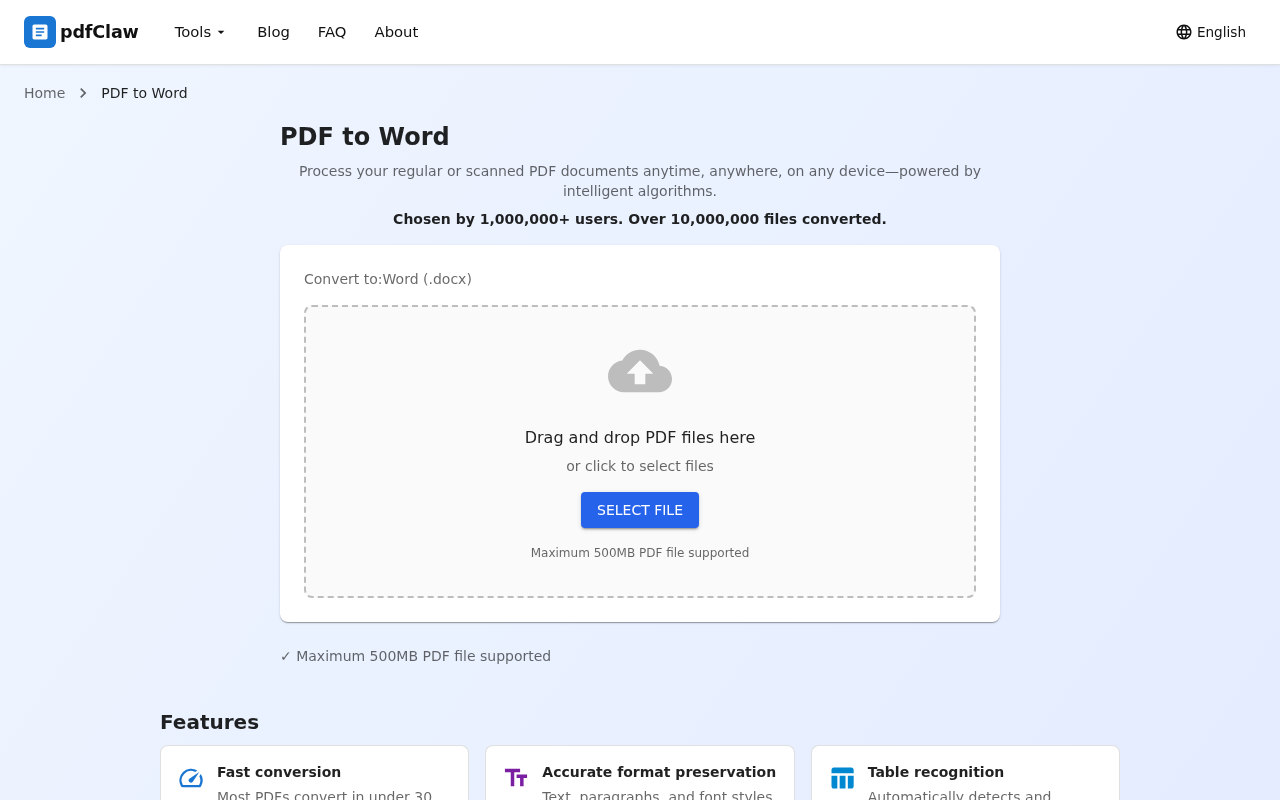
Open your browser and visit the pdfClaw PDF to Word tool page. In the center you'll find a file upload area — drag and drop your PDF into the dashed box, or click the blue "SELECT FILE" button to choose your file. Supports PDF files up to 500MB .
Step 2: Upload and auto-convert
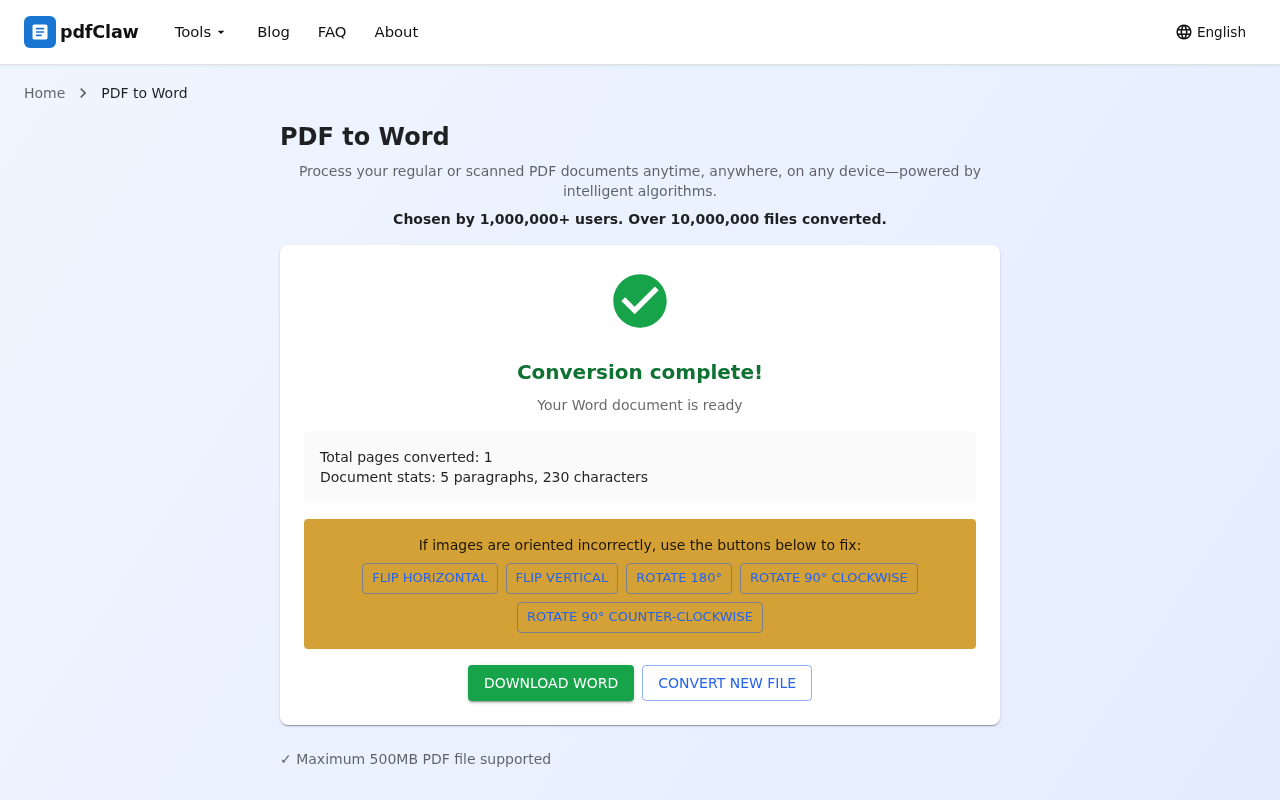
After selecting your PDF, the system automatically uploads and starts converting — no need to click any convert button. When finished, the page shows a green checkmark with "Conversion complete!" along with document statistics: total pages, paragraphs, and characters.
Step 3: Download your Word document
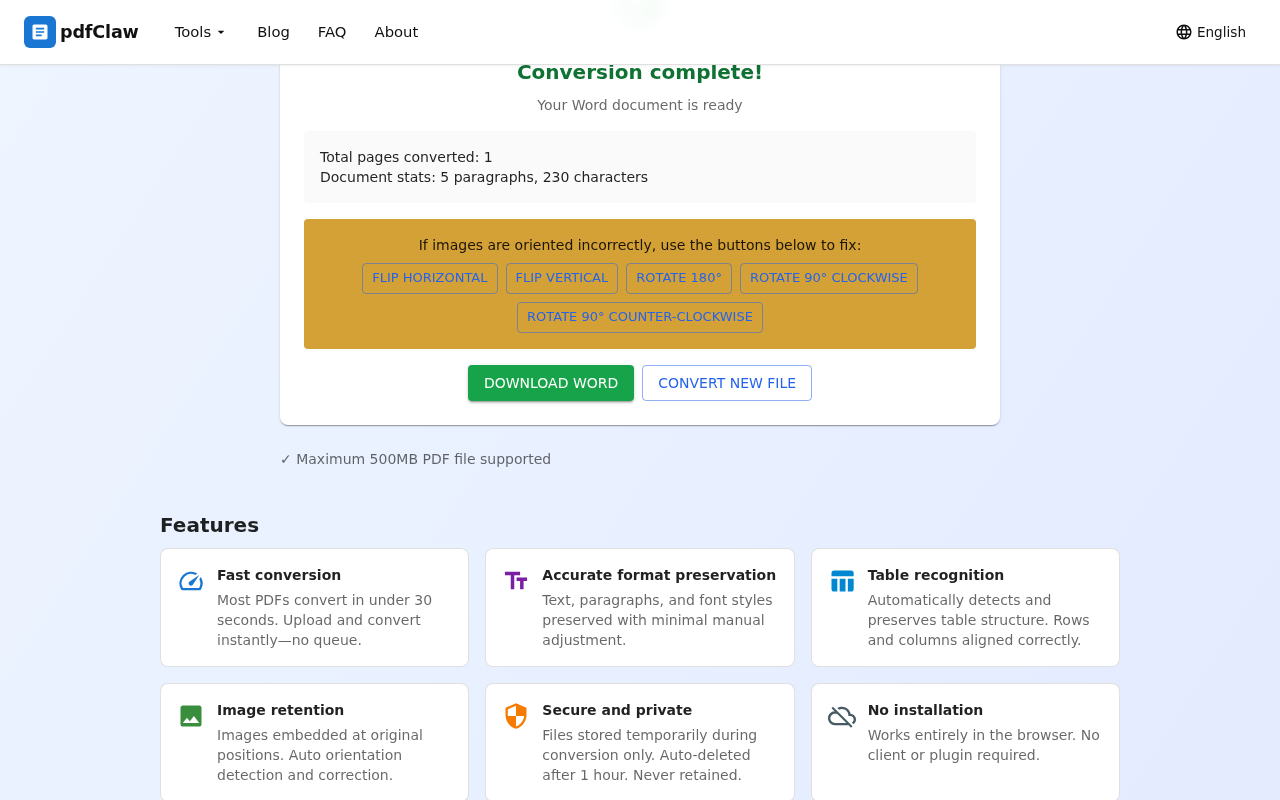
Click the yellow " DOWNLOAD WORD " button to save the converted .docx file to your computer. To convert another file, click "CONVERT NEW FILE".
Just 3 steps, done in seconds — virtually zero learning curve.
2. LibreOffice
LibreOffice is a free, open-source office suite with built-in PDF import capabilities. You can open PDF files in LibreOffice Draw and save them as Word format.
Pros : Completely free and open-source, works offline, full-featured.
Cons : Requires download and installation; PDF conversion isn't its core function; complex layouts may not convert well.
3. Google Docs
Google Docs can open PDF files and automatically convert them to editable documents, which you can then export as Word format.
Pros : Free, browser-based, no installation needed.
Cons : Requires a Google account; poor support for complex tables and layouts; images may shift positions.
4. WPS Office
WPS has built-in PDF to Word functionality; the free version handles simple documents.
Pros : User-friendly interface, widely used.
Cons : Free version limited to 5 pages; beyond that requires a paid membership; ads during conversion.
2. Free PDF to Word Software Comparison
| Feature | pdfClaw | LibreOffice | Google Docs | WPS |
|---|---|---|---|---|
| Free | ✅ Completely | ✅ Completely | ✅ Free | ⚠️ Limited |
| Registration | ❌ Not required | ❌ Not required | ✅ Required | ✅ Required |
| Installation | ❌ Online | ✅ Required | ❌ Online | ✅ Required |
| Accuracy | ⭐⭐⭐⭐⭐ | ⭐⭐⭐ | ⭐⭐⭐ | ⭐⭐⭐⭐ |
| Table preservation | ⭐⭐⭐⭐⭐ | ⭐⭐ | ⭐⭐ | ⭐⭐⭐ |
| Speed | Very fast | Medium | Medium | Fast |
| File size limit | 500MB | Unlimited | Limited | 5 pages free |
3. Why pdfClaw Is the Top Choice
Among all free PDF to Word tools, pdfClaw stands out for these reasons:
-
Truly zero cost : Unlike tools that claim "free" but have page limits, usage caps, or feature restrictions, pdfClaw's full functionality is completely free with no hidden costs.
-
Superior conversion quality : Powered by an AI deep learning engine, it accurately preserves complex tables (merged cells, multi-level headers), mixed text-image layouts, and multi-column formatting.
-
Excellent user experience : No download, no installation, no login — just open your browser. Works on desktop, phone, and tablet.
-
Privacy protected : Files are stored only temporarily during conversion and automatically deleted after 1 hour.
4. FAQ
Q: Do free PDF to Word tools have ads?
A: pdfClaw is completely ad-free with a clean, simple interface. Some free tools like WPS free version do show ads.
Q: Is conversion quality from free tools reliable?
A: pdfClaw achieves 95%+ accuracy — text, tables, and images are faithfully preserved, rivaling paid tools.
Q: Can scanned PDFs be converted for free?
A: Yes. pdfClaw has a built-in OCR engine that recognizes text in scanned PDFs with high accuracy for both English and multilingual documents.
Summary
If you're looking for a free, reliable, no-strings-attached PDF to Word converter , pdfClaw is the best choice available. Completely free, no registration, accurate conversion, blazing fast — done in 3 steps. Try it now at pdf.appsclaw.com/en/convert/word .
✅ Completely free · ✅ No registration · ✅ Lightning fast · ✅ Accurate formatting