Best Free PDF to Word Converter Software – Top Recommendations
Need to convert PDF to Word but don't want to pay for software? This article reviews several truly free PDF to Word converter tools — from online services to desktop applications — covering conversion accuracy, user experience, and limitations to help you find the best option.
Top Free PDF to Word Software
⭐ #1 Pick: pdfClaw
Type
: Online tool (no installation)
Website
:
pdf.appsclaw.com/en/convert/word
pdfClaw is an online tool focused on PDF format conversion. Completely free, no registration required , with industry-leading conversion accuracy powered by an AI deep learning engine.
Key features
:
- Completely free — no page limits, no usage caps, no feature restrictions
- No software installation — works directly in your browser
- No registration — no personal information collected
- AI-powered conversion with excellent text, table, and image fidelity
- Supports 500MB files, converts in under 30 seconds
- Zero ads; files auto-deleted after 1 hour
Detailed pdfClaw Tutorial
Step 1: Open the conversion page
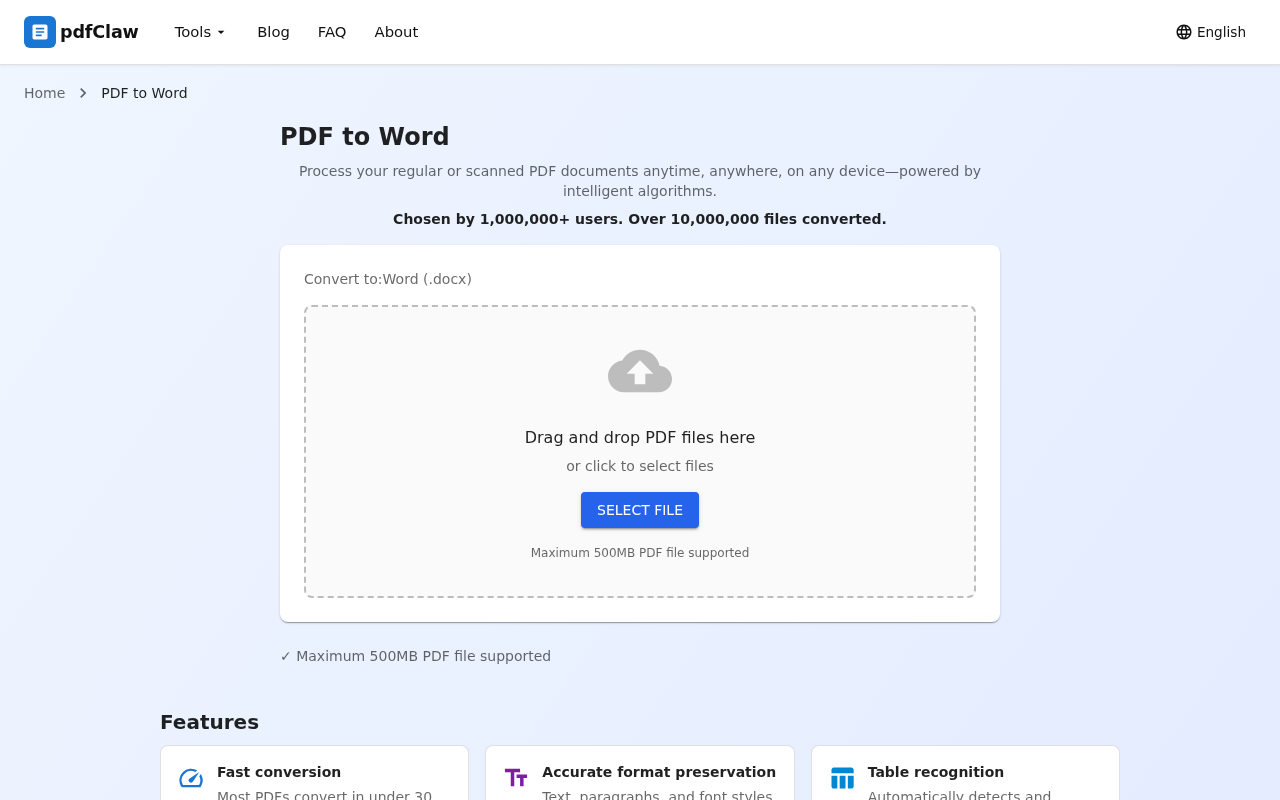
Visit pdf.appsclaw.com/en/convert/word in your browser. The central upload area lets you drag and drop your PDF or click "SELECT FILE" to browse. Maximum file size: 500MB.
Step 2: Upload and auto-convert
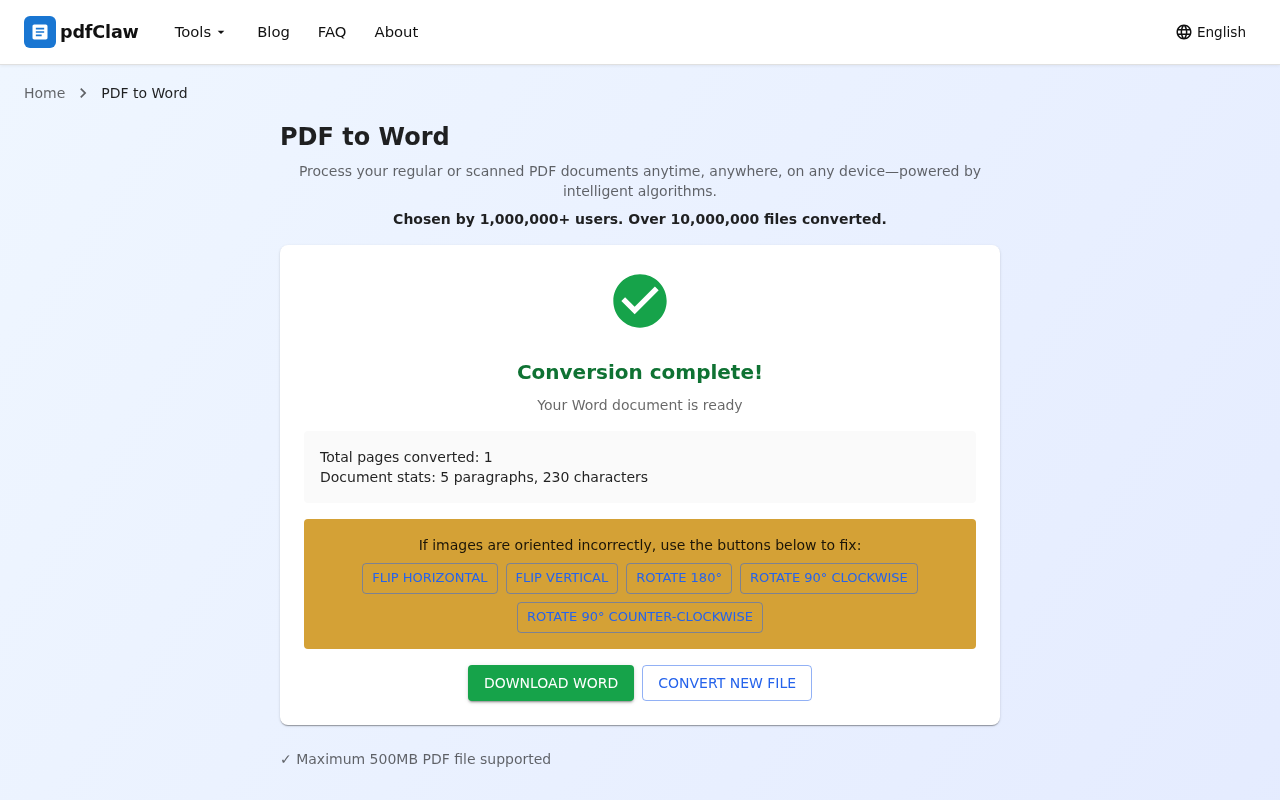
After uploading, the system automatically converts — no button clicks needed. Upon completion, you'll see:
- ✅ Green checkmark with "Conversion complete!"
- 📄 Document stats: pages, paragraphs, characters
Step 3: Download your Word document
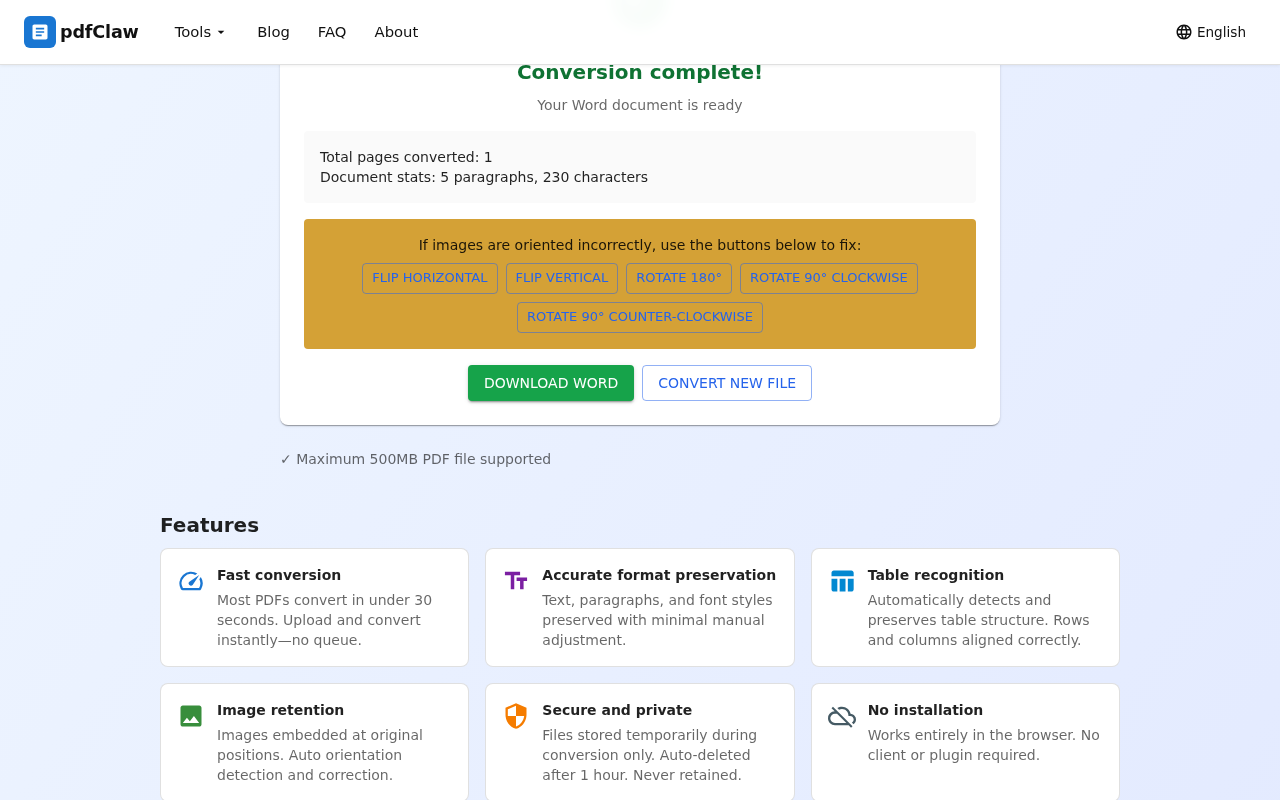
Click the yellow " DOWNLOAD WORD " button to save to your computer. Click "CONVERT NEW FILE" for another conversion.
LibreOffice
Type
: Desktop software (requires installation)
Cost
: Completely free and open-source
Free and open-source office suite. Open PDFs in LibreOffice Draw and save as Word format.
Pros
: Free, open-source, works offline.
Cons
: Requires installation (~300MB), moderate conversion accuracy for complex documents.
Smallpdf
Type
: Online tool
Cost
: Free tier available
Well-known international online PDF tool supporting PDF to Word and other format conversions.
Pros
: Beautiful interface, simple operation.
Cons
: Free version limited to 2 conversions per day; file size restrictions.
WPS Office
Type
: Desktop + online
Cost
: Partially free
WPS has built-in PDF to Word conversion, widely used in Asia.
Pros
: User-friendly interface.
Cons
: Free version limited to 5 pages; membership required for more; contains ads.
Google Docs
Type
: Online tool
Cost
: Free
Upload PDF to Google Drive, open with Google Docs, export as Word.
Pros
: Free, supports collaboration.
Cons
: Requires Google account; poor complex layout preservation.
Software Comparison
| Software | Free | Install | Sign-up | Accuracy | Tables | Speed |
|---|---|---|---|---|---|---|
| pdfClaw | ✅ | ❌ | ❌ | ⭐⭐⭐⭐⭐ | ⭐⭐⭐⭐⭐ | Very fast |
| LibreOffice | ✅ | ✅ | ❌ | ⭐⭐⭐ | ⭐⭐ | Medium |
| Smallpdf | ⚠️ 2/day | ❌ | ✅ | ⭐⭐⭐⭐ | ⭐⭐⭐ | Fast |
| WPS | ⚠️ 5 pages | ✅ | ✅ | ⭐⭐⭐⭐ | ⭐⭐⭐ | Fast |
| Google Docs | ✅ | ❌ | ✅ | ⭐⭐⭐ | ⭐⭐ | Medium |
FAQ
Q: Is there a completely unlimited free PDF to Word tool?
A: Yes — pdfClaw has no page limits, no usage caps, and no file size restrictions (up to 500MB). All features are free.
Q: Is conversion quality from free tools any good?
A: pdfClaw's AI engine achieves 95%+ accuracy, even outperforming some paid tools.
Q: Can scanned PDFs be converted?
A: Yes. pdfClaw has a built-in OCR engine for recognizing text in scanned documents.
Q: Does it work on mobile?
A: Yes. pdfClaw is an online tool — open the same URL on any mobile browser.
Summary
Among all free PDF to Word software, pdfClaw delivers the best overall performance — completely free, no registration or installation, high accuracy, simple operation. Try it now: pdf.appsclaw.com/en/convert/word
✅ Completely free · ✅ No registration · ✅ Lightning fast · ✅ Accurate formatting