How to Convert PDF to PPT for Free – Online Conversion Methods
Need to convert a PDF document to PPT for a presentation, but don't want to pay for software? This article teaches you how to convert PDF to PPT online for free — no software installation, no account registration, just your browser. Complete step-by-step instructions included.
1. Recommended Free Online PDF to PPT Tool
pdfClaw — Best Free Online PDF to PPT Converter
Tool URL : pdf.appsclaw.com/en/convert/ppt
pdfClaw is an online PDF conversion tool supporting PDF to PPT, Word, Excel, and more. Its PDF to PPT feature is completely free — no page limits, no usage caps, no registration.
Why pdfClaw?
- Completely free : Not "limited free" or "trial" — permanently free with zero charges
- Online : No downloads, no installation — works in your browser
- No registration : No accounts, no personal information
- Fast : Most files convert in under 30 seconds
- Large files : Up to 500MB per file
- Secure : SSL encrypted, files auto-deleted after 1 hour
- Cross-platform : Desktop, phone, and tablet compatible
2. Step-by-Step Online PDF to PPT Conversion
Using pdfClaw, the entire process takes just 3 steps :
Step 1: Open the PDF to PPT page
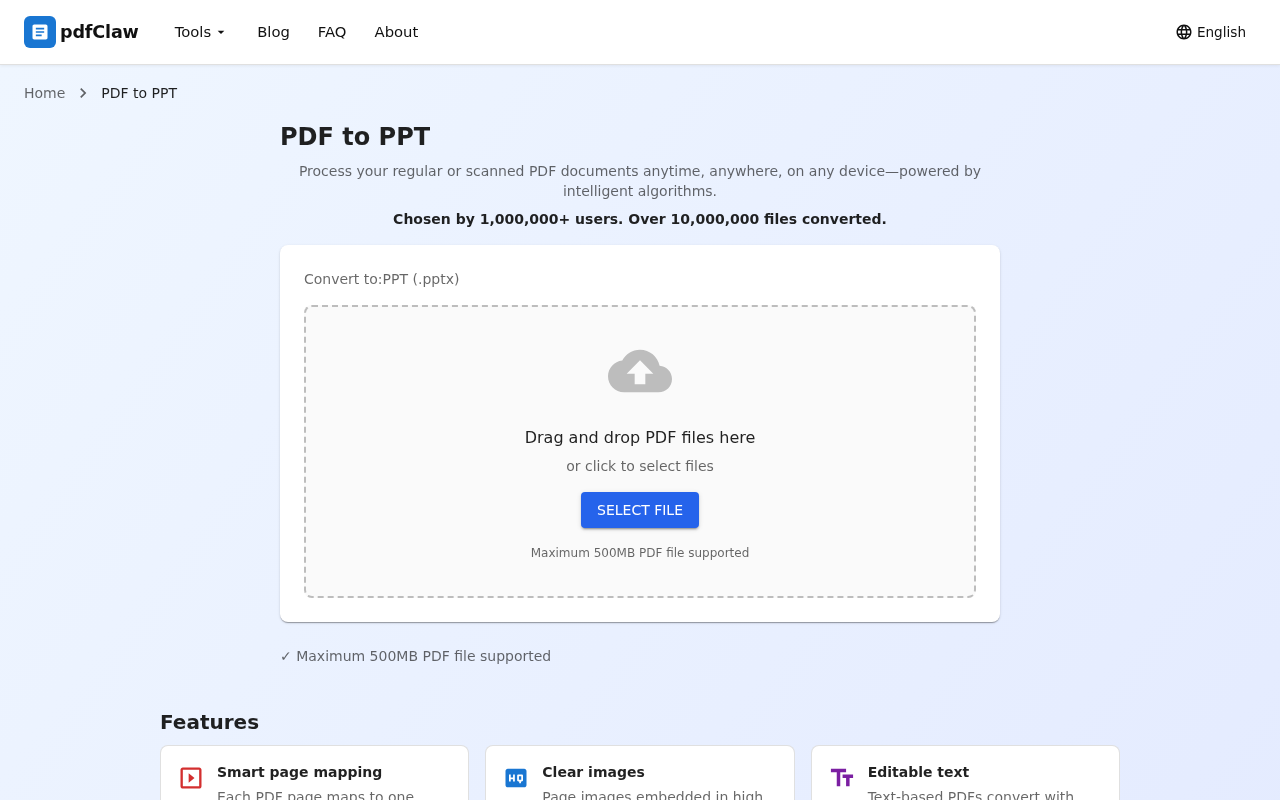
Navigate to pdf.appsclaw.com/en/convert/ppt in your browser. The clean page has a central upload area:
-
Drag and drop
your PDF into the dashed box
- Or click the blue "SELECT FILE" button
Step 2: Upload PDF — automatic conversion
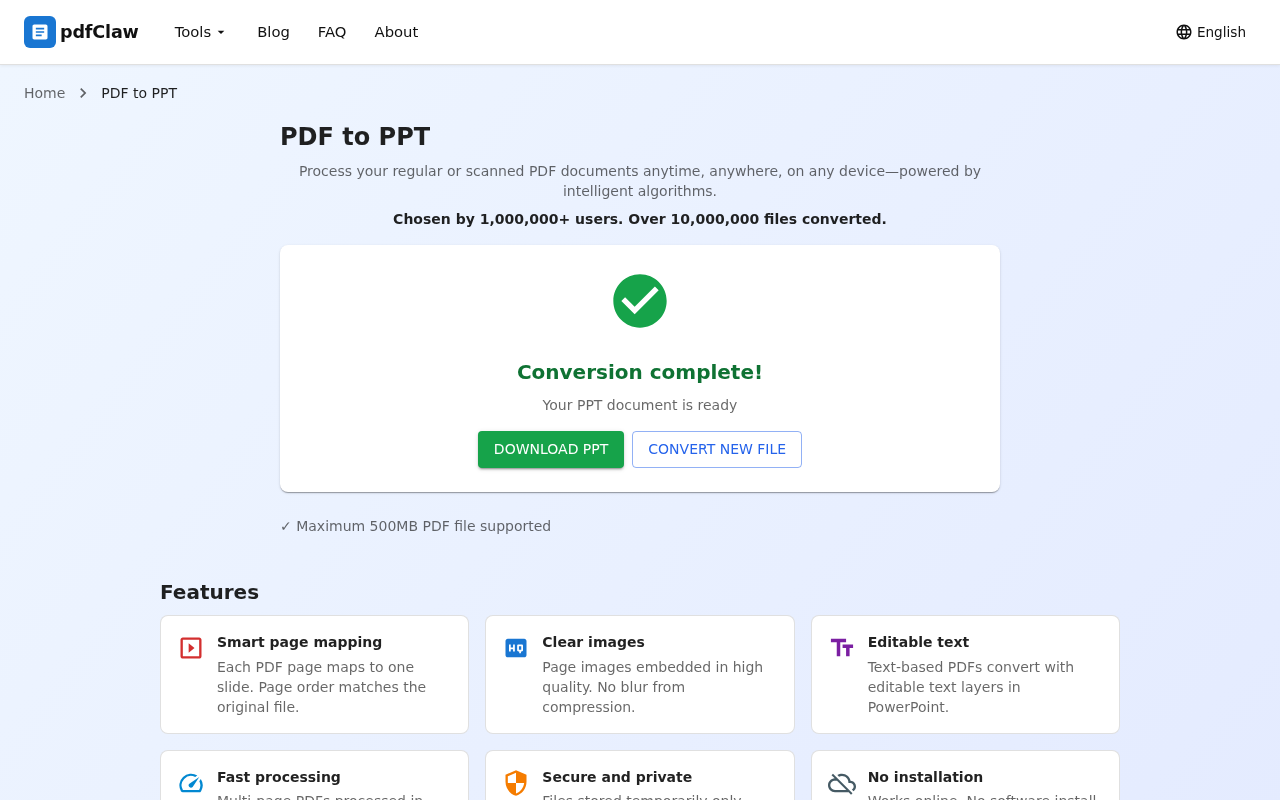
After selecting your PDF, the system automatically uploads and converts . No "Start" button needed — upload triggers conversion.
Conversion typically finishes in seconds to 30 seconds. When complete:
- ✅
Green checkmark
with "Conversion complete!"
- 📊 "Your PPT document is ready"
Step 3: Download your PPT file
Click the green " DOWNLOAD PPT " button. The .pptx file saves to your computer.
Open it in PowerPoint, WPS, or Google Slides to edit.
Need more conversions? Click "CONVERT NEW FILE".
3. What to Expect After Conversion
pdfClaw's PDF to PPT conversion:
- One page = one slide : Each PDF page becomes an independent PowerPoint slide
- Text preserved : Page text extracted as editable text boxes
- Images preserved : PDF images embedded in corresponding slides
- Layout maintained : Original PDF layout reproduced as closely as possible
After conversion you can:
- Edit text content and styles
- Add animations and transitions
- Insert new slides
- Present in full-screen slideshow mode
4. Other Online Tools Comparison
| Tool | Free tier | Limits | Registration |
|---|---|---|---|
| pdfClaw | ✅ Completely free | None | ❌ Not needed |
| Smallpdf | ⚠️ 2/day | File size limited | ✅ Required |
| iLovePDF | ⚠️ Limited | Size & count limited | ✅ Required |
| PDF2Go | ⚠️ Limited | File size limited | ⚠️ Partial |
| Zamzar | ⚠️ Limited | 2/day | ✅ Required |
Among free online PDF to PPT tools, only pdfClaw offers truly unlimited free usage .
5. Common Use Cases
- Students : Convert PDF lecture notes to PPT, add your own annotations
- Professionals : Turn PDF reports and proposals into presentation slides
- Trainers : Convert PDF textbooks to PPT for teaching
- Pitches : Transform PDF proposals into animated presentations
6. FAQ
Q: Is PDF to PPT conversion online? Do I need to install anything?
A: pdfClaw is purely online — no installation needed. Just open the URL in your browser.
Q: Can converted PPT be opened on a phone?
A: Yes. The .pptx file works with mobile PowerPoint, WPS, and other apps.
Q: Is there a conversion limit?
A: No. pdfClaw has no usage limits — convert as many files as you want.
Q: Are uploaded files secure?
A: pdfClaw uses SSL encryption. Files are auto-deleted after maximum 1 hour. No user data is retained.
Summary
The best free online method for PDF to PPT conversion is pdfClaw — open your browser, 3 steps to finish, completely free, no registration, no installation. Converted PPTs are ready for editing and presentation.
👉 Try it now: pdf.appsclaw.com/en/convert/ppt
| Step | Action | Description |
|---|---|---|
| 1 | Open page | Visit pdf.appsclaw.com/en/convert/ppt |
| 2 | Upload file | Drag or select PDF, auto-converts |
| 3 | Download PPT | Click download button to save |
✅ Completely free · ✅ No registration · ✅ Lightning fast · ✅ One slide per page