Is There a Free PDF to PPT Converter? Which One Is the Best?
Need to convert PDF materials to PPT format for presentations, but don't want to pay? Is there a free PDF to PPT converter? Which one is best? This article compares and reviews several mainstream free PDF to PPT tools to help you find the most reliable option.
The Answer: Yes! We Recommend pdfClaw
Yes, there are free PDF to PPT converters, and the best one is pdfClaw.
pdfClaw is an online PDF conversion tool that supports PDF to PPT (as well as Word, Excel, and more). It's completely free, no registration, no installation — fast conversion and just 3 simple steps.
Website : pdf.appsclaw.com/en/convert/ppt
Free PDF to PPT Software Reviews
We evaluated 5 mainstream tools across free tier, conversion quality, user experience, and limitations .
1. pdfClaw ⭐⭐⭐⭐⭐
Overall : Best free PDF to PPT tool available. Truly unlimited free usage — no trials, no daily caps, no page restrictions.
How to use :
Step 1: Open the conversion page
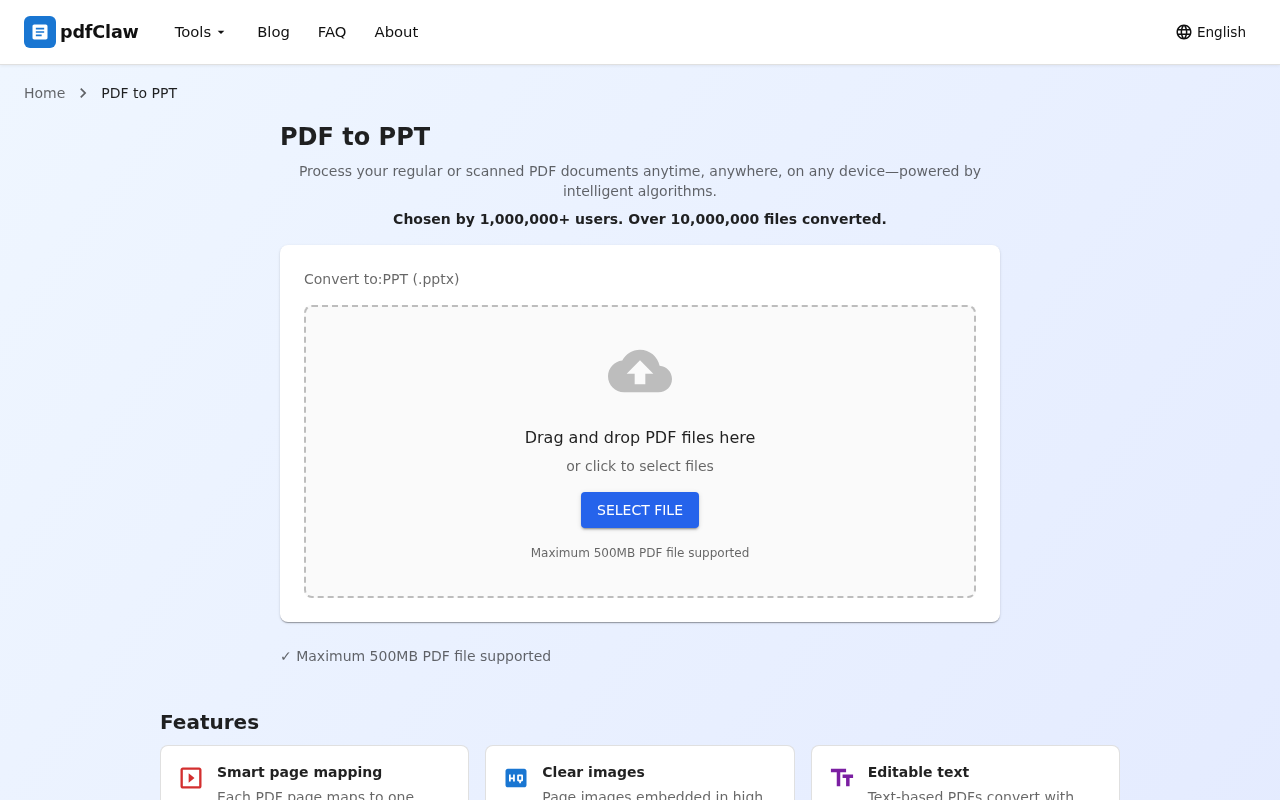
Open pdf.appsclaw.com/en/convert/ppt in your browser. The upload area supports drag-and-drop or file selection.
Step 2: Upload and auto-convert
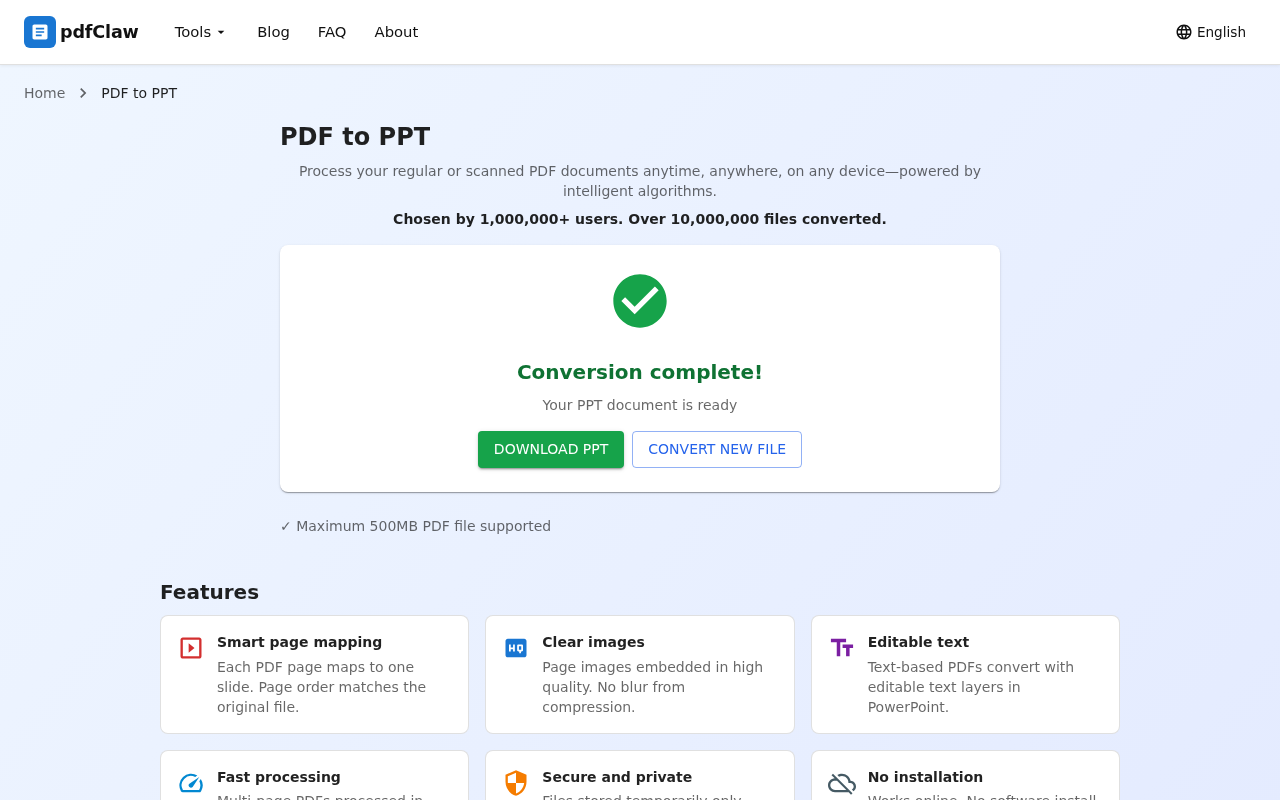
Upload your PDF and conversion begins automatically. When done, you'll see a green checkmark with "Conversion complete!"
Step 3: Download PPT
Click the green " DOWNLOAD PPT " button to save the .pptx file.
2. Smallpdf ⭐⭐⭐⭐
Good for occasional use — beautiful interface, but limited to 2 free conversions per day .
3. iLovePDF ⭐⭐⭐⭐
Feature-rich online PDF tool with similar limitations to Smallpdf — file size and batch restrictions on free tier.
4. WPS Office ⭐⭐⭐
Decent conversion quality, but free version limited to 5 pages . Requires installation and contains ads.
5. LibreOffice Impress ⭐⭐⭐
Completely free with no restrictions, but requires installation and PDF to PPT conversion quality is poor.
Comprehensive Comparison
| Tool | Free | Online | No sign-up | Quality | Rating |
|---|---|---|---|---|---|
| pdfClaw | ✅ | ✅ | ✅ | Excellent | ⭐⭐⭐⭐⭐ |
| Smallpdf | ⚠️ | ✅ | ❌ | Good | ⭐⭐⭐⭐ |
| iLovePDF | ⚠️ | ✅ | ❌ | Good | ⭐⭐⭐⭐ |
| WPS | ⚠️ | ❌ | ❌ | Good | ⭐⭐⭐ |
| LibreOffice | ✅ | ❌ | ✅ | Fair | ⭐⭐⭐ |
What Can You Do After Conversion?
The converted .pptx file is standard PowerPoint format. You can:
- Edit text : Modify titles, body text, data
- Adjust styling : Change fonts, colors, backgrounds
- Add animations : Apply transitions and effects to each slide
- Add content : Insert new slides
- Present directly : Full-screen slideshow in PowerPoint or WPS
FAQ
Q: Does each PDF page become one slide?
A: Yes. pdfClaw converts each PDF page to an individual slide for easy editing and presentation.
Q: Can the PPT be opened in WPS?
A: Yes. The output is standard .pptx format — compatible with PowerPoint, WPS, Google Slides, and more.
Q: Any page limit on free conversions?
A: pdfClaw has no page limits — whether your PDF is 5 pages or 500 pages, it converts free.
Summary
Is there a free PDF to PPT converter? Yes! The best one is pdfClaw.
It's a truly free online tool — unlimited pages, unlimited uses, no registration, no installation. Open your browser and convert PDF to editable PPT in 3 steps.
👉 Try it now: pdf.appsclaw.com/en/convert/ppt
✅ Completely free · ✅ No registration · ✅ Lightning fast · ✅ One slide per page