How to Convert PDF to Word – Free Methods and Software Recommendations
PDF documents can't be edited directly — to modify content, you first need to convert them to Word. But many people don't know how to convert PDF to Word for free or which tool to choose. This article systematically covers free solutions from both methods and software perspectives.
1. Free Methods for PDF to Word Conversion
Method 1: Online Tools (Most Convenient)
Online tools require no download or installation — just open your browser and start.
Recommended: pdfClaw
- Website:
pdf.appsclaw.com/en/convert/word
- Completely free — no page limits, no usage caps
- No registration — instant access
- AI engine with 95%+ accuracy
- Supports 500MB files, converts in under 30 seconds
Just 3 steps: Open webpage → Upload PDF → Download Word.
Method 2: Office Software Direct Open
Microsoft Word 2013+ can open PDF files directly and convert them to editable documents.
Best for
: Simple text PDFs with existing Word license.
Limitations
: Complex layouts often break; tables and images poorly preserved.
Method 3: Open-Source Software
LibreOffice is a free office suite. Open PDFs in LibreOffice Draw and save as Word.
Best for
: Offline use without internet access.
Limitations
: Requires installation; moderate accuracy.
Method 4: Command-Line Tools
For technical users, Python's pdf2docx library or pandoc can batch-convert files.
Best for
: Developers and automated batch processing.
Limitations
: Requires programming skills.
2. Top Free PDF to Word Software
#1: pdfClaw ⭐⭐⭐⭐⭐
| Feature | Details |
|---|---|
| Type | Online tool |
| Cost | Completely free |
| Registration | Not required |
| Installation | Not required |
| Max file size | 500MB |
| Speed | Most files under 30 seconds |
| Accuracy | Excellent (AI engine) |
| Table handling | Merged cells, multi-level headers preserved |
| Image handling | Embedded at original positions |
| OCR | Supports scanned PDFs |
| Security | SSL encrypted, auto-deleted after 1 hour |
pdfClaw Step-by-Step Tutorial
Step 1: Open pdfClaw
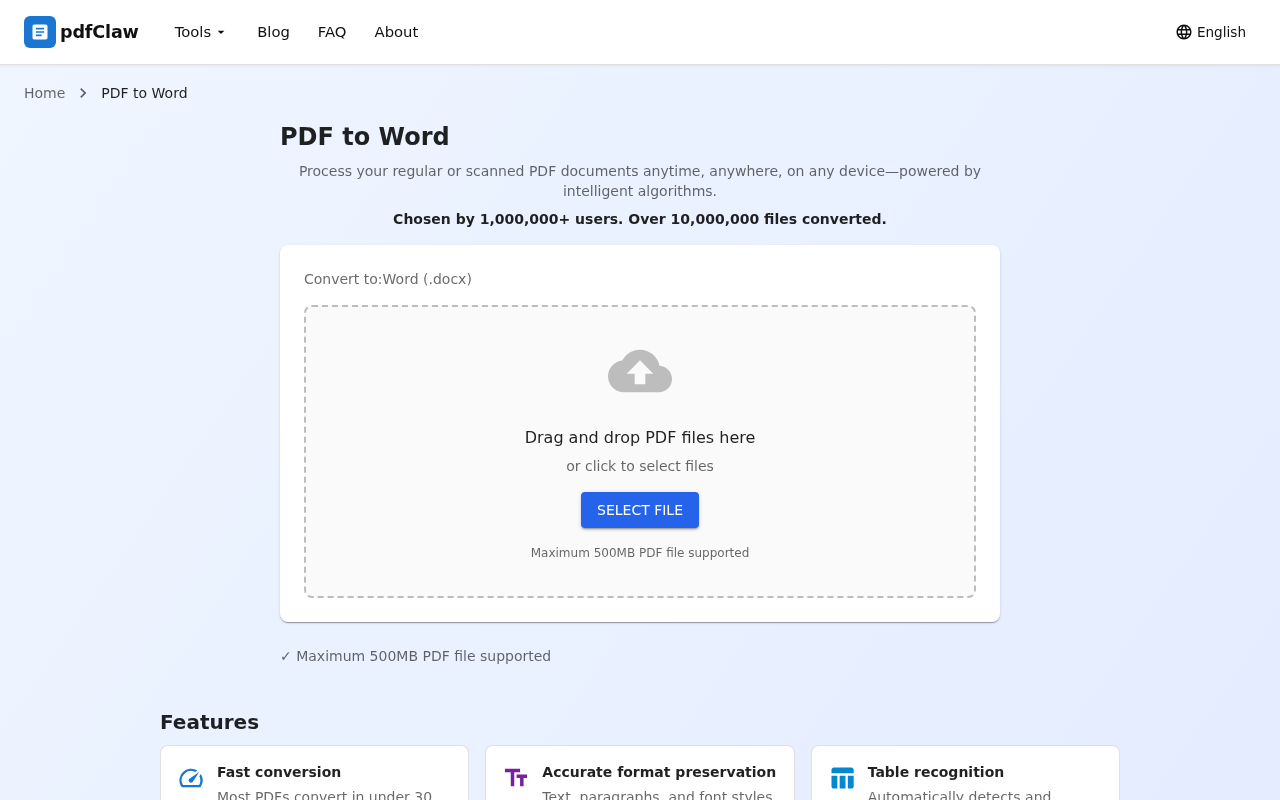
Visit pdf.appsclaw.com/en/convert/word in your browser. The clean page has a central upload area — drag and drop your PDF or click "SELECT FILE".
Step 2: Upload and wait for conversion
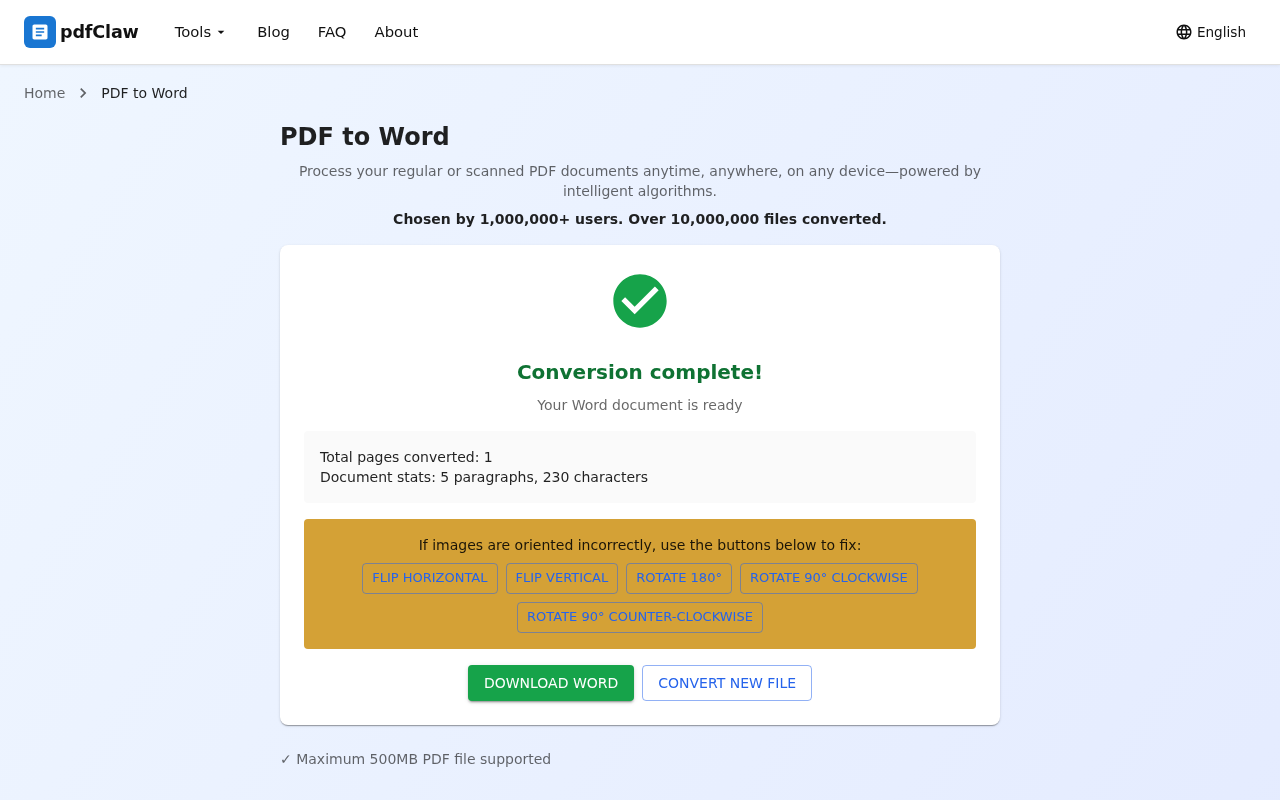
Drop your PDF into the upload area. The system auto-converts. When done, you'll see a green checkmark, "Conversion complete!", and document statistics (pages, paragraphs, characters).
Step 3: Download the result
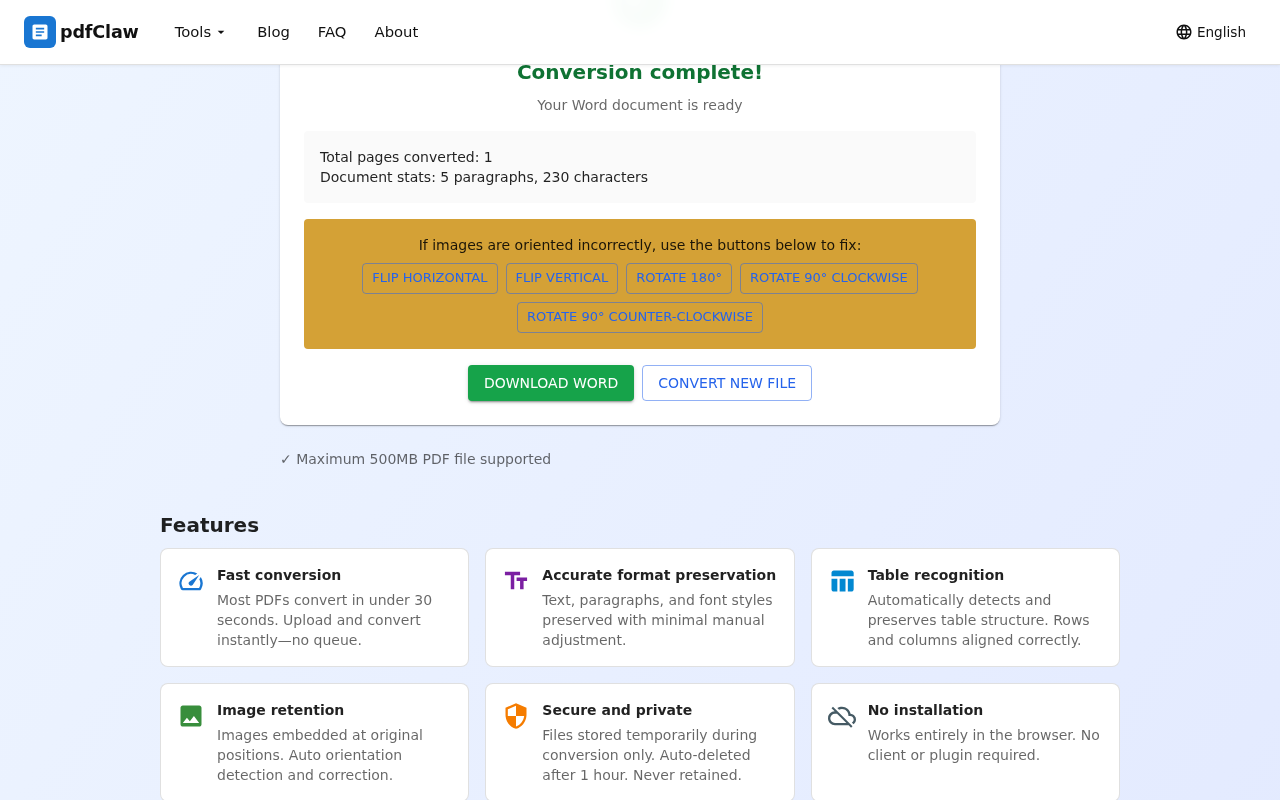
Click the yellow " DOWNLOAD WORD " button to save locally. Click "CONVERT NEW FILE" for more conversions.
#2: LibreOffice ⭐⭐⭐⭐
Free open-source office software. Not the strongest converter but completely free — great for offline use.
#3: Smallpdf ⭐⭐⭐
Popular international online tool with a nice interface, but free version limited to 2 conversions per day.
#4: WPS Office ⭐⭐⭐
Widely used office software. Free version limited to 5 pages; full conversion requires membership.
3. Scenario-Based Recommendations
| Your scenario | Best option |
|---|---|
| Everyday conversion, free & convenient | pdfClaw |
| Have Word, simple documents | Word direct open |
| No internet | LibreOffice |
| Occasional 1-2 files | Smallpdf |
| Batch automation | pdf2docx (Python) |
4. FAQ
Q: Is there a big gap between free and paid tools?
A: Depends on the tool. pdfClaw, though free, matches mainstream paid tools like Adobe Acrobat in accuracy, especially for tables and mixed layouts.
Q: Will Word formatting change after conversion?
A: Good conversion tools preserve 95%+ formatting. pdfClaw accurately retains text styles, paragraph spacing, table structures, and image positions.
Q: Is online PDF to Word conversion secure?
A: pdfClaw uses SSL encryption and auto-deletes files after 1 hour. No user files are stored or shared.
Summary
There are many free methods for PDF to Word conversion, but considering quality, convenience, and limitations , pdfClaw is the optimal choice — completely free, no registration, high accuracy, 3 steps to finish.
✅ Completely free · ✅ No registration · ✅ Lightning fast · ✅ Accurate formatting